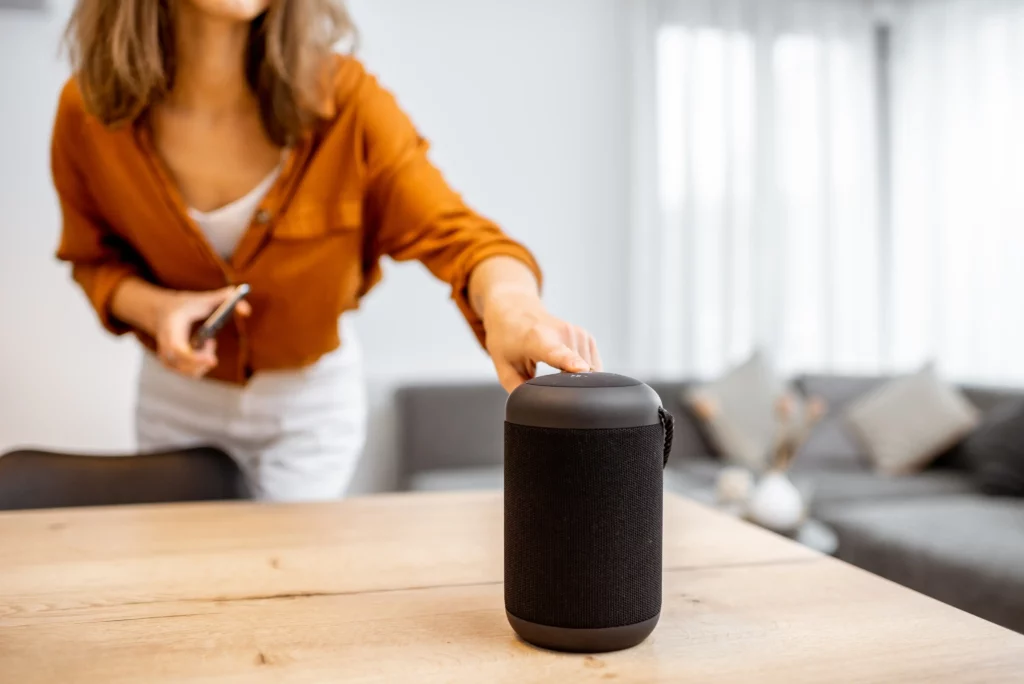

About 1 in 5 people around the world now use voice search.
They’re not typing in keywords.
They’re asking full questions out loud to their phones, cars, even their speakers.
And search engines are getting better at picking up what they mean.
If your site doesn’t match how people talk, you’ve got to fix that.
People want their questions answered faster.
Now’s the time to turn voice searches into real local traffic.
Here’s how you do that.
How to improve your voice search local SEO for smart assistants
#1 — fix your NAP info everywhere online
NAP stands for Name, Address, Phone number.
It seems simple, but it’s the backbone of local SEO.
And it matters even more for voice search.
Smart assistants pull data from sources they trust.
If your name or address looks different across platforms, they’ll skip you.
For example, if you’re “Joe’s Plumbing Co.” on Google, “Joe Plumbing Company” on Yelp, and “Joes Plumbing” on Apple Maps, that’s a red flag.
Same goes for phone numbers.
If one listing uses dashes and another uses spaces, that confuses search engines.
Even small details like suite numbers should match exactly.
So keep these the same across the board:
- Business name spelling
- Address format, including street and suite
- Phone number formatting
- Any extras like “Ltd” or “Inc”
Run a free scan with tools like Moz Local or Yext.
They’ll check your listings on dozens of platforms and note what’s different.
Then, fix any mismatches in your name, address, or phone number.
Again, if Siri or Alexa sees conflicting info, they won’t risk it.
Voice assistants will only give out one answer.
They’ll pick the business that looks more complete, consistent, and more trustworthy.
That means your listings need to be clean, updated, and specific.
Context also matters when it comes to voice search.
Smart assistants take note if someone’s nearby, driving, or using a smart speaker at home.
Having a clean NAP is great for directories and tells smart assistants you’re a solid choice.
#2 — write the way people actually talk
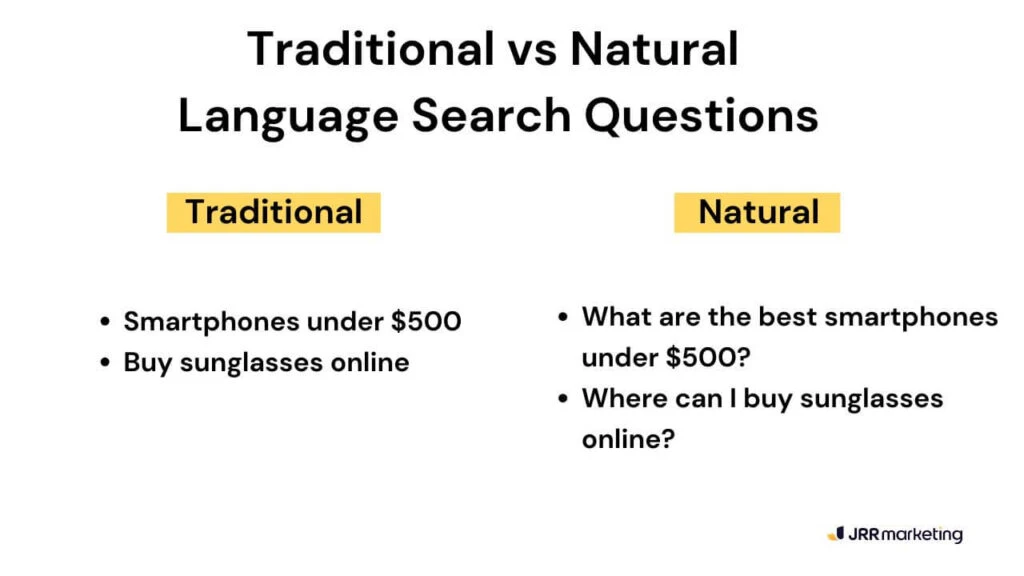
People aren’t stiff when they ask questions.
They ask full questions in a conversation.
A friend might look at you weird if you ask them “Italian restaurant downtown.”
But if you asked, “what’s a good Italian place that serves pasta?” you’d get a better answer.
That’s how your content should sound, too.
If your site still reads like it was made for search engines, you’re missing how real people search.
When you write content, write like you’re answering a question out loud.
Keep your sentences short so they’re easy to scan.
Use headers that sound like actual questions people ask.
“Operating Hours” feels stiff.
“When are you open?” sounds more natural.
Voice assistants are built to understand real human speech.
They pull answers directly from your content, so the way you write really matters.
Google Assistant also reads featured snippets out loud.
Alexa or Siri rely on trusted listings or simple, scannable copy.
Plan out your content so it can be read in one breath.
Use bold headers and short answers without fluff.
If you’re not sure about what questions are being asked, talk to your staff.
The people who work the front desk hear it every day.
They know the exact questions people ask before they book.
If you run a clinic, for example, and everyone keeps calling to ask “Do I need an appointment?, use that exact question on your site.
Write it as a heading.
You can also look at places where people ask questions online.
Check Reddit threads about your industry.
Search Quora to see how people phrase things when they need help.
You don’t need to guess.
Just listen.
#3 — keep your FAQs short and simple
Smart assistants look for direct answers they can read out loud.
That’s why a tight FAQ section can really help your site.
Don’t tuck it away on some hidden subpage.
Put it on your homepage or main service pages.
Then, make sure each question focus on just one thing.
Avoid broad queries like “What services do you offer and what are your prices?”.
Focus on a specific service or product instead. like
For example:
Q: “Do you fix heaters on weekends?”.
A: “Yes, we offer emergency heater repair every Saturday and Sunday.”
That kind of direct answer is exactly what smart assistants pull into voice results.
Write like you’re explaining something to a five-year-old.
The easier it is to scan, the more likely it gets indexed.
This gives it a better chance of being read out loud by smart assistants.
And people love fast answers too.
FAQs are also a great way to work in long-tail keywords without sounding awkward.
They help your SEO even beyond voice search.
#4 — get reviews with useful keywords in them

Most people won’t leave detailed reviews and testimonials unless you ask them.
But detailed reviews help voice search a lot.
Smart assistants don’t show images, star ratings, or rich snippets like you’d see on a screen.
They go straight to the words in your reviews to figure out if your business is legit.
So you want reviews that actually say what service someone used, where it happened, and what made it great.
You’ll want short and helpful reviews… stuff like “Super fast drain repair in Bondi.
Called at 6pm, fixed by 8.”
It should sound like something someone would actually say out loud.
Remember, voice search isn’t looking for long stories.
It’s scanning for fast, specific answers.
Fresh reviews matter a lot too.
And they need to sound real and useful.
The more direct and specific the language, the more useful it is for voice.
#5 — speed up mobile load times
Most voice searches happen on mobile.
If your site loads slow, you won’t rank.
Voice search results load fast, about 4.6 seconds on average.
That’s 52% quicker than regular pages.
And smart assistants won’t pull answers from pages that lag.
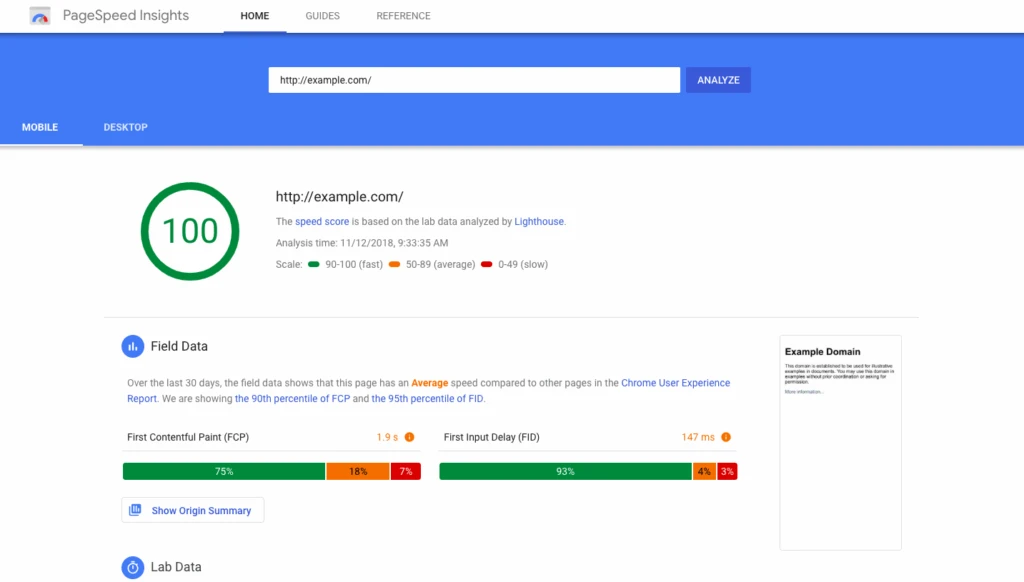
Start by running your site through Google PageSpeed Insights.
Fix anything that slows you down.
It’s usually big images, clunky scripts, messy code, or pop-ups that block the screen.
Use a tool like TinyPNG to compress images.
Remove any plugins that cause bloat.
Look into faster hosting if you can.
Faster sites get picked first, especially on mobile.
#6 — make one landing page, per service and location
Make a separate landing page for each service you offer in each area you cover.
Don’t dump everything on your homepage.
It’s too messy for voice search.
Build pages around what people actually say, like “emergency plumber in Surry Hills.”
Start with a headline that matches the search.
Clearly say who you are, what you do, and where you work.
Then, add direct CTA buttons like “Call now” or “Book online” so it’s easy to take action.
Answer common questions on the page using short, simple language.
Voice assistants want direct answers.
The more focused your pages are, the more likely they’ll show up.
A single page with 10 services just isn’t specific enough.
Siri or Alexa will scan your page content top to bottom, looking for one match, not a list of options.
They also factor in context.
So if someone’s searching from their car, or asking for help on a weekend, your page needs to say things like ‘drive-through available’ or ’24/7 emergency service.’
The easier your pages are to understand, the easier it is for voice search to trust and rank them.
#7 — claim every listing tied to smart devices
If you think Google Business Profile is all you need, you’re missing out on a lot of online traffic.
Voice assistants pull info from different places depending on the device.
Siri uses Apple Maps, Yelp, and TripAdvisor.
Alexa checks Yelp, Foursquare, and other data sources.
Google Assistant uses your Google Business Profile.
Even Cortana taps into Bing Places.
If your business isn’t listed on all of them, you might not show up on some searches.
Make sure you claim profiles on all these websites.
And try out tools like Localeze.
It feeds data to a lot of platforms in the background.
Again, make sure your business category, hours, services, and location info match exactly across all platforms.
Voice assistants compare that data.
If it doesn’t match, they treat it as unreliable.
Also upload a few short descriptions that sound natural.
Some platforms also let you add business summaries.
Use those to inject key services and location terms in plain language.
You won’t need a whole weekend to do this.
It takes about 15 minutes per listing to claim it.
Remember, if your business isn’t listed, it’s invisible.
Voice search can’t promote what it can’t find.
Claim your listings.
Keep them updated.
That’s how you get prioritised by smart assistants.
Get found before they even touch the screen
Voice search is how more people are finding local businesses.
And that’s not slowing down any time soon.
If your business isn’t showing up, it’s not because you’re doing nothing.
It’s because you’re not doing the right things yet.
Optimising for voice search and smart assistants isn’t complicated.
But it does mean getting specific.
Set up complete listings in the right places.
Create landing pages that match exactly what people ask for.
Publish content that sounds like something a smart assistant can read out loud.
Most businesses still haven’t done any of this.
That’s your edge.
This is your chance to show up first, before they even realise they’ve been left behind.
Make it easy for Siri, Alexa, and Google to pick you.
Now’s the time to get found.
If voice and local search matter for your business, our SEO consultant service builds them into every local SEO program.